Compare Brand Picks on kakobuy
Compare Brand Picks on kakobuy
How to Compare Brand Pick Budgets on kakobuy: Recording Process with Website Spreadsheet and Google Sheets
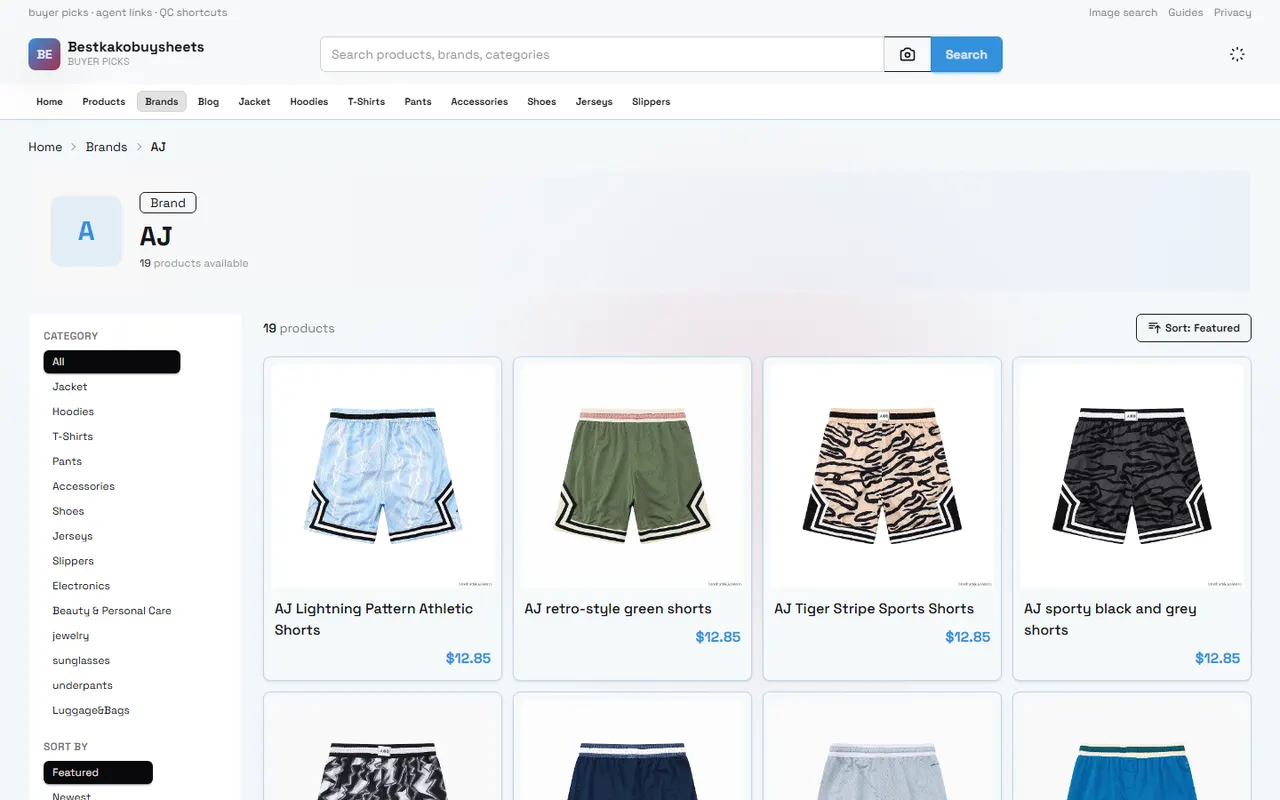
When comparing multiple brands, sellers, or product links at the same time, the biggest issue is not finding candidates, but incomplete records: you note the price but not the specifications; you save the images but lose the seller and remarks; you see a product card and assume you can order directly, without confirming the color, size, model, and domestic shipping within China.
This article focuses on one specific task: helping you use kakobuy's website spreadsheet and Google Sheets to create a reviewable brand pick record, and decide before ordering which candidates to keep, follow up on, or delete.
After reading, you should be able to:
Create a row for each brand pick.
Distinguish between information already seen on the website product card and information that still needs confirmation.
Compare item by item based on price, specifications, images, seller, and remarks.
Filter out candidates with insufficient information or excessive risk before ordering.
This article is not intended to confirm real-time inventory, final international shipping costs, destination country taxes, customs clearance results, or whether a particular item is definitely available for purchase. Prices, inventory, seller pages, coupons, shipping routes, and return/exchange conditions may change, and before submitting an order, you should rely on kakobuy's current pages and settlement results. Data reference date: September 17, 2026.
First Determine What the Brand Pick Comparison Should Answer
Don't rush to put all brands into a spreadsheet. First, write down the decision you need to make:
Which brand's budget better fits this purchase limit?
Which candidate's specifications and usage scenario are the best match?
Which candidates, although lower priced, are missing key images or model information?
Which candidates are worth following up with the seller, and which should be deleted directly?
It is recommended to first define a budget scope. The total product cost includes not only the product's selling price but also possible domestic shipping within mainland China from the seller to kakobuy's warehouse, international shipping, and customs declaration fees. The platform's calculation method is:
Product cost = Product selling price + Domestic shipping within mainland China
Total purchasing cost = Product cost + International shipping + Customs declaration fee
International shipping is usually related to package weight, shipping method, and destination, and customs declaration fees may also vary by shipping method. Therefore, the "budget" in the brand comparison stage is best divided into two layers:
Product budget: Compare only the product selling price and known domestic shipping within China.
Final budget: Compare after obtaining actual weighing, route quotes, and destination country tax information.
If you only have the product page and no warehouse weighing or route quotes, do not write the product price as the final cost. 🧾
What Candidate Information Can You See in kakobuy's Website Spreadsheet
The website spreadsheet is suitable for quick browsing and initial organization. Its advantage is that it can centralize product candidates in one view, making it easy to see product names, images, prices, specification options, and page status, among other things.
When browsing, it is recommended to record the following for each candidate you see:
Brand name.
Product name.
Product link or corresponding page within the platform.
Seller name.
Listed price and currency.
Whether domestic shipping within mainland China is known.
Visible colors, sizes, models, or capacities.
Whether the product images are sufficient to judge the appearance and version.
Whether the page is accessible.
Questions that need further confirmation.
Website product cards are suitable for discovery and filtering, but they do not mean purchase verification is complete. Pay special attention to the following situations:
The product name is too brief to confirm the specific model.
The price only corresponds to a lower configuration option, and other specifications require additional fees.
The images show a series, without specifying which color or version they correspond to.
The seller information is incomplete, or the content changes after the page redirects.
The product page opens, but key specifications are still empty.
These candidates do not necessarily need to be deleted immediately; you can mark them as "pending confirmation." This way, you avoid recording uncertain information as certain facts. 🔎
How to Build Brand Comparison Columns in Google Sheets
Google Sheets is more suitable for long-term maintenance, multi-person viewing, and adding calculations. It is recommended to use one row per product candidate, rather than one row per brand. Because the same brand may have different styles, versions, sizes, or sellers, mixing them in one row makes subsequent verification difficult.
You can set up the following columns:
Category | Suggested column names | How to record |
|---|---|---|
Identification | Brand, product name, seller | Fill in based on visible page information; leave blank or mark as pending if uncertain |
Budget | Product price, RMB amount, domestic shipping within mainland China, estimated product cost | Specify currency; do not disguise international shipping as a known cost |
Specifications | Color, size, model, capacity, material | Only record options clearly shown on the page |
Evidence | Product image, detail image, page status, verification date | Save images or page records that support judgment |
Decision | Keep, follow up, delete, reason | Keep a brief reason for each change |
If you need to convert RMB amounts to other currencies, you must indicate the exchange rate and date used. The knowledge base provided in this article gives a reference exchange rate of 6.22 for RMB to other currencies, but this is not a real-time rate and should not be used as the payment rate. Conversion results are only for budget comparison; actual charges should be based on the payment page.
It is recommended to record "status" and "reason" separately. For example:
Status: Keep; Reason: Specifications complete, images clear, product price within budget.
Status: Follow up; Reason: Page does not specify material, and model options are incomplete.
Status: Delete; Reason: Page inaccessible, cannot form a reliable comparison.
This approach is easier to review than writing only "good," "cheap," or "looks fine," and it reduces the number of times you reopen the same page.
Compare Row by Row Based on Price, Specifications, Images, and Remarks
After initial entry, do not sort only by price from low to high. Low-priced candidates may correspond to different specifications, lack accessories, or not include domestic shipping within mainland China.
You can compare row by row in the following order.
Step 1: Confirm the comparison objects are consistent.
Check whether each row belongs to the same category, similar specifications, and same purchase purpose. If one candidate is a basic model and another is a high-end model, directly comparing prices will lead to misjudgment.
Step 2: Break down the price components.
Record the listed price, whether there are specification surcharges, and whether domestic shipping within mainland China is shown. For parts that cannot be confirmed, do not fill in estimated numbers; use "unknown" or "pending settlement."
Step 3: Confirm specifications.
For clothing, pay attention to size, color, and size information provided on the page; for electronics, pay attention to model, version, voltage, interface, and accessories; for special categories such as beauty or food, additionally confirm destination country import restrictions and shipping conditions.
Step 4: Check image evidence.
Images can help you judge the style, color, and packaging information shown on the page, but they cannot prove material feel, actual workmanship, durability, or authenticity. Do not write image observations as conclusions from touching or trying the product.
Step 5: Add actionable remarks.
Remarks should indicate the next step to take, for example: "Confirm if black size M is in stock," "Ask if charger is included," "Confirm if the page price corresponds to the complete set." Avoid adjectives that do not guide action, such as "great quality" or "should be reliable."
Verification Boundaries Between Website Product Cards and Spreadsheet Records
kakobuy's product browsing records and Google Sheets data serve different purposes: the former is for viewing current product pages, the latter for saving the comparison process. When combining the two, you must clearly identify what has been verified and what is just candidate information.
Verified information typically includes:
The page loads normally.
The page shows a clear product name.
The current page shows price and currency.
The page shows selectable colors, sizes, or models.
The product images roughly correspond to the current candidate.
Information that still needs verification may include:
Actual inventory.
Final price after specification surcharges.
Domestic shipping within mainland China from the seller to the warehouse.
Actual weight and volumetric weight after warehousing.
Available international shipping routes and quotes.
Destination country taxes, import restrictions, and customs documentation requirements.
Whether return/exchange conditions apply.
According to platform information, kakobuy offers multiple shipping routes, some involving special lines for beauty or electronics; the information also mentions that shipping times may range from about 3 to 20 days. However, specific times depend on destination, route, product category, warehouse processing, and customs clearance, and cannot be considered a committed time for all orders.
The platform information also indicates that warehouses usually offer free storage periods, but the periods for regular and abnormal packages may differ; return/exchange services have restrictions based on product category and processing status. Especially for custom items, restricted items, adult products, intimate apparel, food, and items that have been requested to remove packaging, tags, or accessories, you should confirm before ordering whether return/exchange conditions apply.
Inspection typically focuses on appearance information such as style, quantity, color, size, model, and prohibited item screening. Some items with sealed packaging or tamper-evident labels may not be opened for inspection, so quality inspection photos cannot prove the entire contents of the package. 📦
Which Candidates Are Suitable for Keep, Follow Up, or Delete
Candidates to keep should at least meet: page accessible, product name clear, core specifications recordable, and sufficient information to support subsequent inquiry or ordering.
Candidates for follow-up are suitable in the following situations:
Price clear, but size or model incomplete.
Images clear, but material, accessories, or version not specified.
Product meets needs, but seller's stock availability is unclear.
Product price is appropriate, but domestic shipping within mainland China is not confirmed.
Product belongs to a category that may be subject to shipping, customs, or destination country regulatory restrictions.
Candidates for deletion typically include:
Page inaccessible or only has category tags, without specific product information.
Product name and images do not match.
Key specifications missing, and no effective follow-up can be made.
Price clearly corresponds to a different specification, making fair comparison impossible.
Destination country has obvious import or shipping restrictions, and there is no compliant route at present.
Deletion does not mean the product is necessarily bad; it only means it is not suitable for the current verifiable comparison. Keep the deletion reason so that if you find the page again in the future, you can avoid repeating the investigation.
Brand Browsing Process When Using Both Together
It is recommended to adopt a four-step process of "discover - record - verify - decide":
Discover brand and product candidates in kakobuy's website spreadsheet.
Copy candidates row by row into Google Sheets, filling in brand, seller, price, specifications, images, and page status.
Re-verify high-volatility information such as price, model, size, inventory, shipping, and return/exchange conditions.
Mark each row as keep, follow up, or delete, and write the next action.
If multiple items are to be shipped together in a consolidated package, do not assume during the brand comparison stage that consolidation is always more cost-effective. Consolidation may reduce duplicate first weight or some handling costs, but it may also increase volumetric weight, package value, and single-loss risk; splitting may increase fixed fees but may be more appropriate for route restrictions or risk diversification.
You should compare consolidation and splitting after obtaining actual weight, volume, route quotes, and destination country requirements. The final record should include at least:
Estimated amount saved by consolidation.
Possible increased volumetric weight or tax risk.
Suitable products and buyer demographics for the option.
Conditions under which consolidation is not recommended, such as high-value items, route-restricted items, or items requiring separate declaration.
Next Step: Complete the Pre-Order Comparison Checklist
Before moving from candidates to ordering, confirm item by item:
Brand and product name match the current page.
Seller information is recorded, and the page is still accessible.
Product price, currency, and specification surcharges are distinguished.
Whether domestic shipping within mainland China is known is indicated.
Color, size, model, or capacity are not filled in without basis.
Product images are used only to support page observations, not as proof of quality or authenticity.
Questions for follow-up are written as specific sentences.
International shipping, customs declaration fees, destination country taxes, and customs requirements are not written as fixed amounts.
Return/exchange conditions match the product category and warehouse processing status.
The purpose and limitations of quality inspection photos are understood.
Personal information will not appear in public orders, payment cards, passports, or full waybill screenshots.
After completing this checklist, brand comparison truly becomes an executable purchasing decision. The cheapest candidate is not necessarily the best budget solution; candidates with complete information, matching specifications, and explainable risks are usually better suited for the next step of inquiry and ordering.
Agent Platform Shopping FAQ
1. How do I find products on kakobuy when I want to buy something?
You can search with even a single word, or directly open the category page, where products are also arranged by brand. Longer search terms usually yield fewer but more accurate results. For example, you can search "Air Force 1 White," "sneakers," or just "Air Force 1."
2. What should first-time users of agent platforms like kakobuy pay attention to?
New users accessing a Taobao agent through a spreadsheet for the first time generally receive a new-user shipping discount package. Also, don't forget to review the step-by-step shopping guide for beginners.
3. How should I interpret quality inspection photos on kakobuy?
When looking at quality inspection photos, focus on the specific features of the product you bought. For shoes, check a few key areas—toe box, heel, and tongue—to assess stitching, shape, and tongue thickness to determine if it's a high-quality pair. For clothing, look at details like the collar label, logo embroidery, fabric, and the neatness of the collar and cuffs.
Browse our latest products and find your next favorite item.