Verify Kakobuy Links After Product Import
Verify Kakobuy Links After Product Import
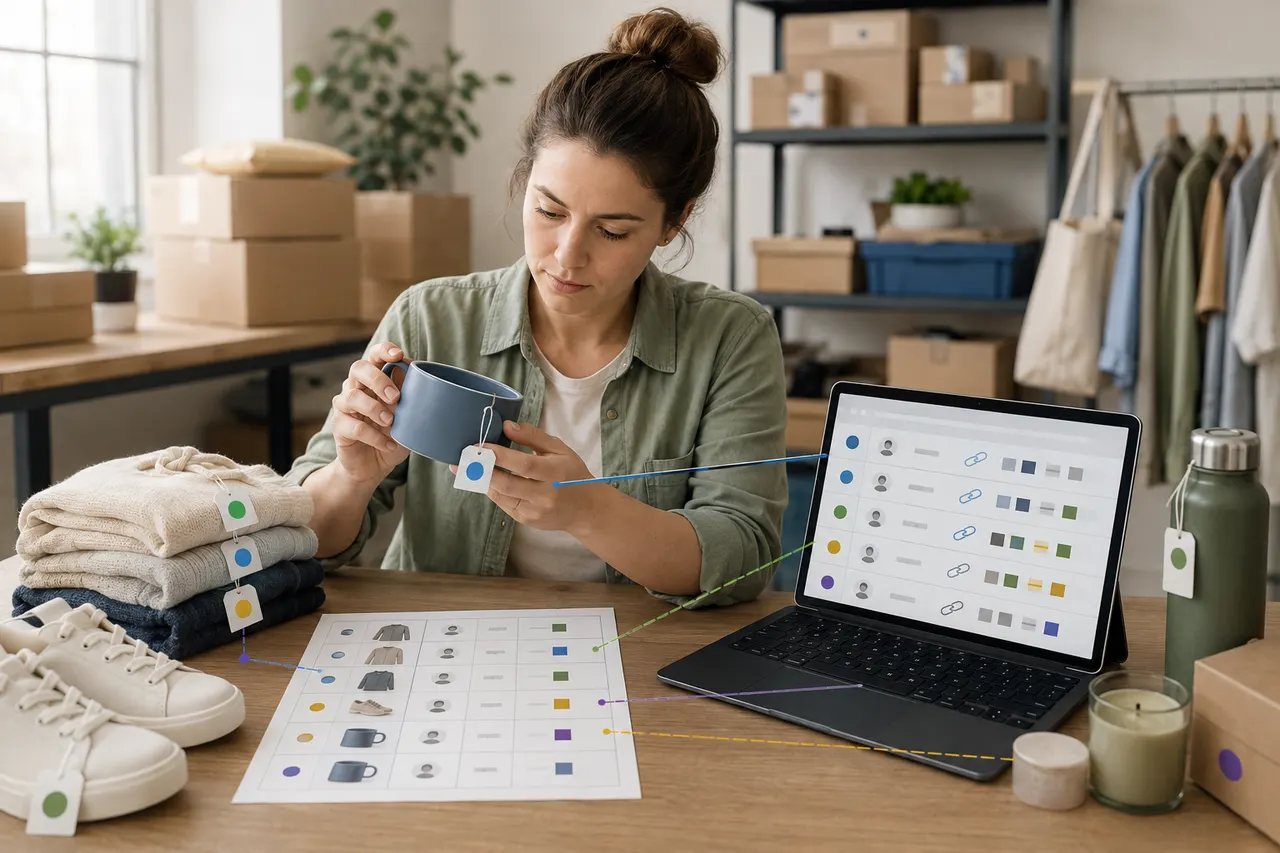
A table showing "import successful" only proves the system read the data; it does not prove that each row corresponds to the correct product, seller, and specifications. Source links may redirect, sellers may change titles, specification names may vary, or column mapping may shift during import, making product cards appear complete but incorrect in color, size, model, or quantity.
This article is intended for buyers who have already imported a product spreadsheet into Kakobuy and are preparing to submit an order but have not yet paid. After completing the verification, you should be able to classify each row of products into "ready to order," "needs reselection," and "must confirm with seller or customer service." This article does not apply to physical quality judgment after items are in the warehouse; for warehouse-received items, you need to handle them separately using warehouse inspection photos and after-sales deadlines.
The platform processes and policy information in this article are based on Kakobuy materials provided as of September 3, 2026. Product prices, inventory, seller names, specifications, link status, shipping fees, and return/exchange conditions may change, and you must rely on the currently visible page and checkout results before submitting an order.
Why Import Success Does Not Mean Product Information Is Consistent
Spreadsheet import typically relies on fixed fields and row-column relationships. As long as the file format is recognized, the system may complete the import, but the following issues may not trigger obvious errors:
The original link redirected to another product in the same store.
The product still exists, but the seller has changed the title, main image, or specification combinations.
The color column and size column are misaligned, causing options to appear valid but not the originally planned combination.
Quantity is empty, recognized as a default value, or number format is incorrectly converted.
The same product is available from multiple sellers, and after import the corresponding store is not the seller recorded in the spreadsheet.
The original link is no longer valid, and the product card only retains a cached title or incomplete information.
Therefore, the focus of verification is not "can the page open," but confirming that the source, product identity, and purchase options form a single chain of evidence. 🔎
Clarify Spreadsheet Fields to Retain and Verification Boundaries
Before starting the check, keep the original file and do not overwrite it directly. Save a verification copy and retain the following information for each product:
Row number or custom identifier
Original source platform
Original product link
Imported Kakobuy product card or record number
Seller name or store identifier
Product title
Specifications such as color, size, model
Purchase quantity
Price recorded in spreadsheet and current page price
Verification date, result, and notes
Price is only used to detect anomalies; it cannot alone prove product misalignment. Promotions ending, specification price differences, inventory changes, and domestic shipping adjustments in China may cause price changes. The verification boundary should focus on "Is it still the same source, same seller, same product, and same specification combination?"
Do not record payment card numbers, full addresses, identification numbers, or complete shipping label information in the verification sheet. If you need to save screenshots, obscure order numbers, contact information, and other personal information.
Compare Kakobuy Product Card with Original Source Link
It is recommended to check row by row, rather than first reviewing all Kakobuy product cards and then going back to find the source. Row-by-row checking reduces the risk of adjacent products being swapped.
Open the original source link in the spreadsheet and record the final landing page, not just the copied link text.
Open the corresponding Kakobuy product card and compare the main product title, key image features, and available specifications.
Confirm the source platform is the same; for example, if the original link is from Taobao, Tmall, or another platform, you should not treat a similar product from another platform as the same source without evidence.
Check for cross-store redirects, product removal notices, blank pages, or login restrictions.
Mark links that cannot be accessed as "unverified" and do not pass them based solely on title similarity.
Main images can only serve as auxiliary evidence. Sellers may change images, and similar products may use the same promotional images. More reliable judgment requires that the seller, core title object, and specification structure all match.
Check Seller Name, Product Title, and Source Platform Item by Item
Seller name should be compared using a stable store identifier; if the page only shows a nickname, record the current nickname along with the verification date. Differences in spaces, symbols, or capitalization in the name do not necessarily indicate a seller change, but a completely different store name requires pausing the order.
When checking titles, you do not need to require word-for-word consistency. Sellers may add promotional words or adjust word order, but the product category, series, model, and key attributes should not change substantively. For example, if the spreadsheet records a charger of a certain model, and the product card title changes to a data cable of the same brand, even if the link still opens, it should be judged as product misalignment.
The source platform also cannot be omitted. The same seller may have stores on multiple platforms, and prices, specifications, after-sales conditions, and inventory may differ across platforms. If the Kakobuy product card does not clearly show the final source, keep the original link and confirm with the platform; do not fill it in yourself.
Confirm Color, Size, Model, and Quantity Are Correctly Imported
Specification verification should compare actual meanings, not just the order of options. Sellers may reorder colors and sizes, or delete old specifications and create new options with the same name.
Checking in the following order is safer:
First confirm the model or style, as it usually determines the main product.
Then confirm the color, noting that "black," "upgraded black," and "black set" are not the same option.
Then confirm the size and the sizing system used; you cannot directly interchange letter sizes, numeric sizes, and shoe sizes.
Finally check the quantity and confirm whether the quantity represents individual items, a set, or multiple packaging units.
If the meaning of options depends on the seller's specification image, save the visible specification description at that time. For sealed packaging products, Kakobuy materials state that the warehouse typically does not open the package but checks appearance and outer packaging information; this makes it especially important to select the correct model and specifications before purchase. 📦
Record Missing, Changed, and Contradictory Information in a Comparison Table
A simple exception table is sufficient for review; you do not need to create separate tables for each check step.
Verification Item | Acceptable Evidence | Situations Requiring Pause | Handling Result |
|---|---|---|---|
Source link | Final page accessible and product clear | Redirect, removal, blank page, or cannot confirm product | Reacquire link or mark unverified |
Seller | Store name or stable identifier matches | Redirected to a different store | Pause order and confirm source |
Product title | Category, series, and model match | Changed to a similar but different product | Re-import correct product |
Specifications | Color, size, model meanings match | Options missing, replaced, or contradictory | Reselect or consult seller |
Quantity | Quantity and packaging unit clear | Empty, default, or set quantity unclear | Confirm manually before submission |
Price | Difference justified by promotion or specification | Large unexplained change | Recheck product and specifications |
It is recommended to use four fixed statuses: "Passed," "Pending confirmation," "Reselect," and "Link invalid." Do not use ambiguous "probably no problem," as it does not guide final ordering.
How to Handle Redirects, Missing Specifications, or Information Misalignment
When encountering redirects, first compare the domain, store, and product identity before and after the redirect. A seller replacing an old link with a new product does not mean the new page is still the product originally intended for purchase. When identity cannot be proven, treat it as a new product and re-verify.
If the source page has no specifications but the Kakobuy product card shows default options, do not treat the defaults as seller confirmation. You can search for a source page with complete specifications, or confirm with Kakobuy customer service whether you can purchase according to notes. The customer service email provided is [email protected]; before contacting, verify the contact information on the platform's current page.
If only some fields are misaligned, first determine the cause:
If all products in a column have the same shift, check the header mapping and import template.
If only one row is abnormal, check that row for merged cells, hidden line breaks, or missing values.
If multiple similar products are exchanged, check whether numbers and links lost their correspondence during sorting, filtering, or copying.
If current specifications are discontinued, do not arbitrarily replace with the "closest" option; let the buyer decide again.
When re-importing after correction, avoid creating duplicate orders or duplicate product cards. First confirm whether the old record is still in draft, pending submission, or deletable state, then keep only the unique correct version. ⚠️
Complete Final Review Before Submitting Order
The final review should include a forward check from "source link to product card" and a reverse spot check from "product card back to spreadsheet row." If there are many products, at least check high-risk fields row by row; do not just spot check total quantity.
Complete the following actions before submission:
Each row has a clear verification status and verification date.
All "Pending confirmation" items have been answered or removed from the order.
Seller, product, source platform, and specification combination correspond to each other.
Quantity and packaging unit are clear, with no empty values or unconfirmed defaults.
Current product price and domestic shipping fee within China have been rechecked.
Do not rely on warehouse inspection to solve color, size, or model issues that should have been determined before ordering.
Save verification copy and necessary screenshots, but do not save sensitive payment and identity information.
According to Kakobuy materials, warehouse inspection mainly checks appearance information such as style, quantity, color, size, and model; however, sealed products may not be opened. Therefore, warehouse inspection is a second line of defense and cannot replace the pre-order review after import. If the product is subsequently stored, promptly check inspection information and return eligibility; the general return window stated in the materials is 120 hours after storage, but special items and items where removal of packaging, tags, or accessories has been requested may not apply. Specific eligibility is subject to platform rules at the time of processing.
This verification method cannot promise a fixed amount of savings. The direct losses it can avoid typically equal the cost of incorrectly purchased goods, domestic shipping within China, and subsequent processing costs when returns are not possible; actual amounts must be calculated item by item for anomalous rows. The cost is the extra time needed for verification before ordering, but the increased risk is mainly limited to page information changes or inability to obtain seller confirmation. It is suitable for bulk imports, multi-specification products, and orders with multiple similar sellers; if source links are invalid, key specifications cannot be confirmed, or seller identities are contradictory, it is not recommended to continue submitting. ✅
Browse our latest products and find your next favorite item.