How to Browse Brand Pages on Kakobuy
How to Browse Brand Pages on Kakobuy
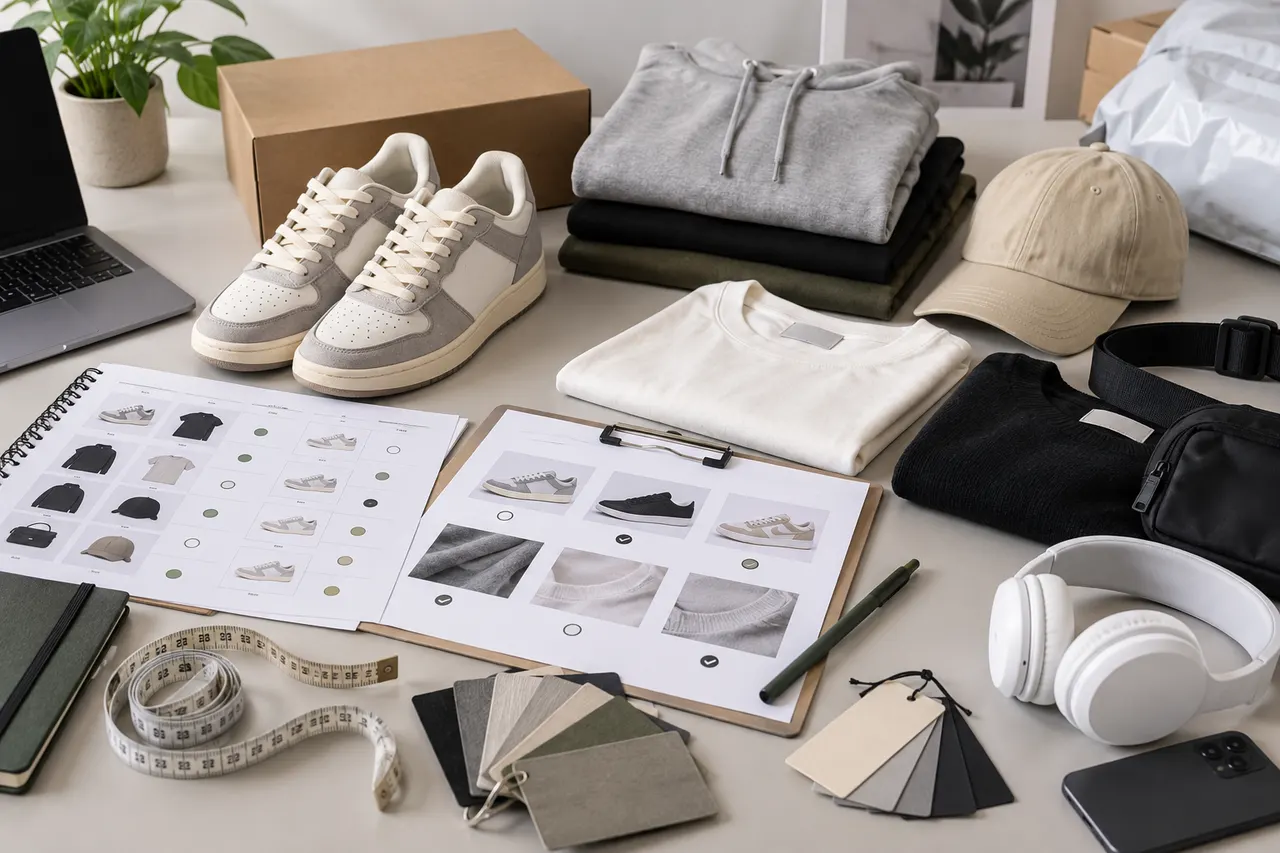
Browsing brand pages on Kakobuy is best for solving a very specific problem: you already have a rough idea of which brand, style, or product clue you're looking for, but you haven't yet determined which specific item is worth passing on to the agent process for further handling.
This article does not treat the "brand page" as proof of authenticity, same style guarantee, or availability. It only uses the brand name, product title, images, specifications, seller information, and agent service boundaries together to help you first filter out a batch of candidate items for further verification, before deciding whether to proceed to pre-order confirmation.
First, clarify what problem you want to solve by browsing by brand
Browsing by brand is not about casually collecting more items; it's about reducing trial-and-error costs in the later stages of ordering, warehousing, returns/exchanges, and international shipping.
Before starting, write down three conditions:
Are you looking for the brand itself, or a specific category under a certain brand style?
What price range, size range, color, and material limitations can you accept?
Are you willing to rely on Kakobuy's visual inspection after warehousing for the final judgment?
If these three conditions are not clear, the brand page can easily become more confusing as you browse. Especially for clothing, shoes, bags, beauty products, and electronics, different sellers' titles may all carry the same brand clue, but the item versions, specifications, packaging, after-sales restrictions, and shipping routes can differ greatly.
A more prudent approach is to treat the brand page as a first-round discovery tool, not the final purchase basis. What you need to accomplish is not "order as soon as you see the brand name," but to filter out candidates that are "worth asking further about, can be submitted for agent verification, and have controllable risks."
What brand clues Kakobuy can provide as a purchasing agent and inspection service
Kakobuy's platform role is a Chinese product purchasing agent, freight forwarder, and quality inspection service. It can help overseas users purchase products from Chinese e-commerce platforms, and provide basic inspection, warehousing, package consolidation, and international shipping services after the items arrive at the warehouse.
This means that during the brand browsing stage, the main clues you can utilize are:
Brand name, series name, model, or category keywords in the product title.
Colors, silhouettes, patterns, packaging, and accessories shown in product images.
Sizes, colors, versions, capacities, or set combinations in the selectable specifications.
Seller page, original product link, and domestic shipping information.
Style, quantity, color, size, model, and other information that can be verified through visual inspection after warehousing.
But also be aware of the boundaries. Kakobuy's inspection mainly targets visual information and order information verification. For sealed packaged items, non-clothing, bags, shoes with tamper seals or sealing strips, they usually will not open the package for inspection; they can only check for obvious damage to the outer packaging and judge whether the arrival is incorrect based on the outer packaging information.
Therefore, the brand page can help you find clues, but it cannot alone prove material, authenticity, performance, ingredients, or long-term use experience. For beauty products, electronics, intimate apparel, food, customized items, and restricted items, be more cautious in judging whether they are suitable for purchase through an agent ⚠️.
Build the first batch of candidates from brand pages, product cards, and category entries
In the first round of screening, don't rush to compare prices; first establish a clear candidate pool. It is recommended to cross-check from three positions: "brand pages, product cards, category entries."
When entering from a brand page, first check whether the items are concentrated in the same category. If a brand clue shows shoes, hats, accessories, electronic accessories, and unrelated small items at the same time, be wary that this may just be keyword aggregation in titles and does not represent a stable relationship between items.
When looking at product cards, the focus is not which image is most attractive, but whether the information is complete enough. A more retainable product card usually at least shows product category, main colors, specification options, original source, and approximate price structure.
When supplementing through category entries, you can reverse-verify whether this brand clue is truly suitable for your target category. For example, if you are looking for shoes, don't just favorite items from brand results; also enter shoe-related entries to see if the title wording, specification density, and image quality of similar items are consistent.
The first batch of candidates doesn't need to be too many. For most users, keeping 5-12 candidates is sufficient. Too few may cause you to miss alternative options; too many will increase the burden of later inquiries to sellers, verifying specifications, and comparing shipping costs.
Use titles, images, and specifications to exclude obviously mismatched items
The goal of the second round of screening is to delete items that are obviously unsuitable for further processing, not to confirm the final answer.
First look at the title. If the title only contains brand keywords without a clear category, model, color, size, or purpose, lower its priority. If the title is stuffed with unrelated hot keywords, be cautious, because specification misunderstandings are more likely to occur during subsequent agent ordering.
Then look at the images. Images should support your judgment of basic appearance, not just atmospheric shots, partial crops, or blurry collages. For shoes, clothing, and bags, at least the front, side, details, and color differences should be visible. For beauty or electronics, images should reveal packaging, model, or capacity clues; if this information is unclear, it may not be fully remedied after warehousing.
Finally, look at specifications. Specification options should be consistent with the title and images. For example, the title says a certain color, but the specifications do not include that color; images show a set, but specifications only sell single items; title says large sizes available, but size options are incomplete. Even if such items seem cheap, put them in "ask later" rather than ordering directly.
You can use the following table for quick judgment:
Checkpoint | Keep | Ask later | Delete |
|---|---|---|---|
Title | Brand clue, category, and specifications clear | Has brand keyword but model or specifications incomplete | Keyword-stuffed title, confusing category |
Images | Main appearance and differences clearly visible | Missing key angles or details | Blurry, irrelevant, or cannot determine product |
Specifications | Colors, sizes, versions correspond | Options exist but meaning unclear | Specifications clearly conflict with title/images |
Agent risk | Can be verified by visual inspection | Needs seller clarification | Depends on unsealing, performance, or ingredient judgment |
After this step, your candidate count will usually decrease significantly. This decrease is normal, because the real value of brand browsing is to intercept unclear items before payment ✅.
Record source links, sellers, and verification boundaries for selectable specifications
For each retained candidate, it is recommended to record four pieces of information: source link, seller name or shop clue, selectable specifications, and risk points you have not yet confirmed.
The source link is very important because the agent process requires ordering based on the original product page. Do not save only screenshots or product titles; titles may change, screenshots cannot complete the purchase, and product cards may become invalid.
Seller information should also be recorded. Even if different sellers use similar brand keywords, their shipping speed, inventory stability, after-sales attitude, and completeness of product descriptions may differ. Kakobuy can help you place orders and inspect upon warehousing, but it cannot guarantee long-term inventory or all after-sales conditions on behalf of the seller.
Specification records should be specific and executable. For example, "Black, M, regular fit" is more suitable for entering the agent process than "black clothes." For shoes, record the European size, centimeters, or the size system displayed on the page; for beauty products, record capacity, shade number, and set contents; for electronics, record model, plug, version, and accessories.
Verification boundaries must also be clearly written. After warehousing, Kakobuy can check style, quantity, color, size, model, and other visual information, and will conduct prohibited items screening. But if the item is sealed and the rules do not support unsealing, you cannot expect the warehouse to confirm internal ingredients, device performance, or hidden defects for you.
In addition, you should have a basic concept of fees at the candidate stage. The total agent fee usually consists of product cost, domestic shipping, international shipping, and customs declaration fee. Known information shows that the customs declaration fee is generally 8 RMB, but the actual amount still depends on the shipping method. International shipping varies with weight, route, destination, and package plan, and should not be treated as a fixed price at the brand page stage.
When to continue favoriting and when to move to pre-order confirmation
If a product's brand clue is clear, images are readable, specifications are definite, source link is valid, and your remaining questions can be resolved through seller consultation or post-warehousing visual inspection, you can continue to favorite it.
If a product is only similar in style, but the title, images, and specifications cannot support each other, do not keep it just because the price is low. Low-price candidates will occupy your judgment energy later and may trigger pressure from the return/exchange window after warehousing.
Kakobuy's free storage period is 100 days, and the abnormal package period is 60 days. Within 120 hours after warehousing, the platform supports 5-day no-reason returns/exchanges, but special items are excluded, such as customized items, restricted items, adult products, intimate apparel, food, and items for which you have requested the warehouse to remove packaging, tags, or accessories.
This rule directly affects your brand browsing strategy. If you are choosing items prone to errors in size, color, or version, prioritize candidates with clearer page information and more standard specifications. Do not leave all uncertainty to post-warehousing handling, because the return/exchange window is limited and some items are not eligible for no-reason returns/exchanges.
Candidates suitable for moving to pre-order confirmation usually meet these conditions:
Product link is still accessible, and page information supports ordering.
No obvious contradictions among title, images, and specifications.
You have recorded specific color, size, version, or model.
Even if only visual inspection is possible after warehousing, it is sufficient to decide whether to proceed with international shipping.
Product type does not clearly violate shipping restrictions, return/exchange restrictions, or destination country import restrictions.
If the product belongs to beauty, electronics, or categories possibly restricted by route, check available logistics routes in advance. Kakobuy has multiple logistics routes and partners with UPS, EMS, DHL, etc., and also has dedicated lines for beauty and electronics, as well as some duty-free routes. But whether they apply to your destination country, product type, and package combination must be confirmed based on the actual route before shipping 🚚.
Brand browsing checklist: Keep, Ask later, Delete - three categories of handling
Dividing candidates into "Keep, Ask later, Delete" is more effective than just starring them.
Keep category is suitable for continuing to pre-order confirmation. They have high information completeness, clear specification choices, and can complete key judgments through visual inspection after warehousing.
Ask later category is not bad products, but they are currently missing one key answer. Common questions include: whether sizes are in Chinese or European standards, whether images show all accessories, whether shade numbers match specifications, whether domestic shipping is charged separately, whether returns/exchanges are possible, and whether tags or packaging will be removed.
Delete category is not recommended to continue occupying your time. For example, title and images clearly inconsistent, specification conflicts, too little page information, depends on unsealing verification, suspected shipping issues, or you cannot accept the loss if return/exchange fails.
A practical recording format can be simple:
Keep: product name, source link, specifications, expected risks, next confirmation items.
Ask later: product name, questions to ask, answers you must receive, latest confirmation time.
Delete: deletion reason, to avoid clicking back on the same unsuitable link later.
The benefit of doing this is that when you are ready to submit agent orders, you don't need to recall why you favorited something from dozens of pages. Especially when shopping across time zones, comparing multiple sellers simultaneously, or when there are many similar products under the same brand clue, this checklist can significantly reduce the probability of wrong selection 🧾.
Next step: Recheck before handing candidate items to the agent process
After brand browsing ends, do not immediately submit all candidates. Do a final pre-order recheck: whether links still open, whether specifications are still selectable, whether seller pages have obvious changes, and whether prices and domestic shipping need to be reconfirmed.
If you use Kakobuy, new user discounts can also be included in cost estimates. Known information shows that new user registration provides a 3000 RMB shipping fee coupon and a 100 RMB no-threshold shipping fee coupon, with redemption code kakobuy888. Discounts, exchange rates, route prices, and applicable conditions may change, and actual use should be based on the platform's page on the day. The platform information verification date for this article is September 9, 2026.
Before entering the agent process, it is recommended to submit only those items that "even if only visual inspection is done after warehousing, you can decide whether to continue shipping." This avoids pushing unjudgeable risks beyond international shipping.
The final judgment can be very direct: if a candidate saves your search time, reduces the probability of specification errors, and risks are mainly concentrated on inspectable visual information, then it is worth continuing. If it requires the platform to prove authenticity, test performance, open sealed packaging, or assume destination country customs clearance responsibilities, it is not recommended to continue.
The correct result of browsing by brand pages is not finding the most products, but leaving a few executable, verifiable, and risk-acceptable candidates. Only by doing this will the subsequent ordering, inspection, package consolidation, and shipping go more smoothly.
FAQ for agent platform shopping
1. How do I find the product I want on Kakobuy?
You can search on Kakobuy with a keyword, or go directly to the category page, where products are also arranged by brand. Longer search terms usually yield fewer but more precise results than short terms. For example, you can search "Air Force 1 White", "sneakers", or just "Air Force 1".
2. Why doesn't Kakobuy use Google Sheets?
Google Sheets is only suitable for tables with very few products. Once the number of products increases, loading speed becomes very slow and the system lags noticeably. This is especially true on mobile devices, where the visual experience is poor and searching for products is extremely inconvenient. For the same set of products, tables on the Kakobuy website load faster and offer a better visual experience.
Browse our latest products and find your next favorite item.